
7 Things to Check Before Choosing a Branded Investor Portal
 Jacob BlackettLast Updated: Nov 12, 2026
TL;DR
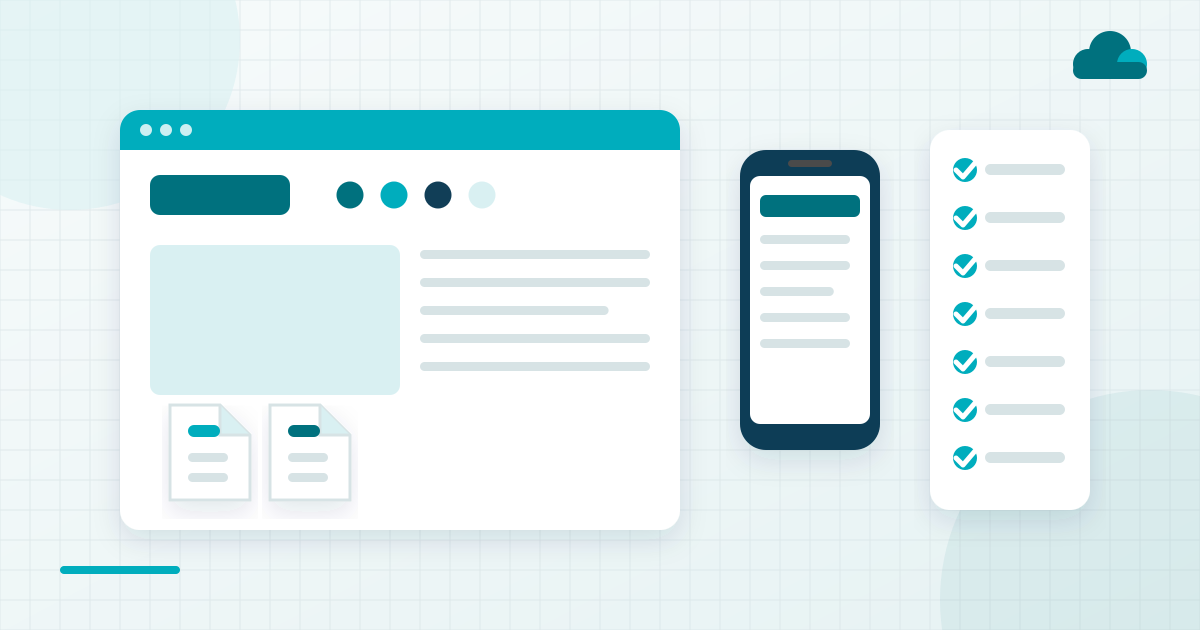
- A branded investor portal is a secure investor website under the sponsor's own brand, and the checks before choosing one are about what investors will see from the first login onward.
- The seven checks are your domain and brand, the first login, live investment visibility, documents and statements, the link from your website, mobile access and who supports your limited partners (LPs).
- Test every check in the demo as an investor would, with a test investor login on a laptop and on a phone.
- White label goes further than branding by removing the vendor's name from what investors see, so ask where the vendor's name still appears.
- SponsorCloud is an investor platform for commercial real estate sponsors whose branded investor portal sits on the same platform as its capital raising customer relationship management (CRM) system and administration workflows.
- A portal is one surface of an investor platform, and the records behind it decide whether what investors see is current.
Before choosing a branded investor portal for commercial real estate deals, check seven things. They are the sponsor's domain and brand, the first login, live investment visibility, documents and statements, the link from the sponsor's website, mobile access and who supports LPs. Test each one in a demo the way an investor would use it.
A branded investor portal is a secure website under the sponsor's own brand where limited partners (LPs) log in to see their investments and documents. A white label portal takes the same idea further by removing the vendor's name from what investors see.
What a Branded Investor Portal Covers
A branded investor portal covers the screens and emails investors see, from the login invitation to the latest statement and Schedule K-1. White label extends the same branding to the web address and the sender of each email.
Sponsors need a portal once the investor base grows past what email can carry. Documents and questions sent by email stop scaling, and investors start to get an uneven experience from one deal to the next. Investors judge a sponsor on the cumulative quality of every interaction, so the portal carries much of the relationship between updates.
The seven checks below cover the sponsor's own branding and setup, chosen against four tests. Each is something investors see directly, and each differs between vendors. Each can also be tested in a demo with a test investor login, and each is hard to change after launch.
The table pairs each check with the question to ask in a demo and why it matters.
| Check | What to Ask in a Demo | Why It Matters |
|---|---|---|
| Your domain and brand | Where does your name appear | Investors trust what they recognize |
| The first login | Send a test invitation | First impression of the portal |
| Live investment visibility | Where do figures come from | Fewer status questions by email |
| Documents and statements | Post a document live | Investors find files unaided |
| Link from your website | Show the login from our site | Brand carries to the login |
| Mobile access | Show it on a phone | Some investors check by phone |
| Who supports your LPs | Who answers investor questions | Clear support split at launch |
Seven Things to Check Before Choosing a Branded Investor Portal
Each check below says who it matters to and what to ask the vendor. A short list of what to test as an investor follows, then a paragraph on where the check tends to go wrong.
Your Domain and Your Brand
Brand checks matter most to sponsors who want investors to see one firm from the website to the login page. Investors should see the sponsor's name and look on the login page and in every email the portal sends.
What to Check. Ask the vendor to show the investor-facing screens and emails.
- Whether the portal can run on the sponsor's own web address.
- Where the vendor's name still appears to investors.
- Whether login invitations and notices carry the sponsor's brand.
Where It Goes Wrong. How far branding goes varies by vendor, and the terms branded and white label get used loosely. A portal branded on screen can still send emails from the vendor's address, and careful investors notice.
The First Login
The first login matters to every investor, since the invitation is the first thing they see from the portal. Ask to receive one as a test investor and go through setup alone, with no help from the vendor.
What to Check. Walk through setup as an investor would.
- Count the steps between the email and the first view of an investment.
- Check how password and two-factor steps are explained.
- Note where a less technical investor might stop.
Where It Goes Wrong. A setup that looks short in a vendor's walkthrough can feel long to an investor alone at a desk. Every investor stuck at login becomes an email to the investor relations team.
Live Investment Visibility
Live visibility matters to investors who want to check a position without asking the sponsor. Each investment should show its distributions to date and its latest report in the investor's own view.
What to Check. Ask how the figures reach the investor's screen.
- How often the portal's figures update.
- Which records the figures come from.
- Whether a recent distribution appears in a test investor login.
Where It Goes Wrong. A portal that needs a separate upload each quarter shows figures that lag the sponsor's own records. Investors then email to confirm numbers the portal should have shown.
Documents and Statements
Document checks matter to sponsors with several deals and a growing set of statements and K-1s. Statements and K-1s should sit under the investment they belong to, with a notice when a new one posts.
What to Check. Ask the vendor to post a document during the demo.
- Where the document appears in the investor's view.
- What notice the investor receives when it posts.
- How access to offering documents is set for each investor or prospect.
Where It Goes Wrong. Documents filed by upload date leave investors scrolling for the one they need. A K-1 posted with no notice can sit unseen until the investor asks for it.
The Link from Your Website
The website link matters because prospects and investors start from the sponsor's site. Check how the portal's login and deal pages link from it and whether the sponsor's brand carries through to the login.
What to Check. Ask the vendor to show the path from a live sponsor website.
- The login link and the page it lands on.
- Deal pages and how they match the site's look.
- What else connects through the vendor's integrations.
Where It Goes Wrong. A login that jumps from the sponsor's site to a page with a different look makes investors hesitate. Prospects arriving from a deal page notice the same break.
Mobile Access
Mobile access matters because some investors will check a distribution or open a document from a phone. Ask the vendor to show the portal on a phone in the demo and whether access runs through the phone's browser or a dedicated app.
What to Check. Test on a phone as an investor would.
- A login, including any second-factor step.
- A document download on a small screen.
- Whether distribution figures read clearly without zooming.
Where It Goes Wrong. A portal shown only on a laptop in the demo hides how it behaves on a phone. The browser or app answer also decides whether investors have to install anything.
Who Supports Your LPs
Support matters the first time an investor cannot log in or find a document. Ask whether the vendor supports investors directly or sends every question to the sponsor's team, and how quickly.
What to Check. Agree the support split before launch.
- Which investor questions the vendor answers.
- How fast the vendor responds.
- Where the support contact appears for investors.
Where It Goes Wrong. A support split left undecided sends investors back and forth between the vendor and the sponsor. The investor relations team then hears about it from a frustrated LP.
How an Investor Portal Connects to Your Website
An investor portal connects to a sponsor's website through the login link and the deal pages that lead to it. The website is where prospects and investors start, so a link that keeps the sponsor's brand makes the portal feel like part of the site.
Integrations carry the rest of the connection. SponsorCloud lists Zapier connectivity among its product surfaces, and sponsors can review SponsorCloud's integration center for the connections it lists.
Ask any vendor to show the link from a live sponsor website to the login during the demo. A login reached straight from the site, with the brand unchanged, is the result to look for.
Why a Portal Is One Surface of an Investor Platform
A portal is one surface of an investor platform, and it improves the investor experience on its own. Pipeline and follow-up sit in other tools unless the portal shares a platform with them. Investor figures also stay current only when the portal reads the same records as distributions and reporting.
SponsorCloud is an investor platform for commercial real estate sponsors. Its branded investor portal sits on the same platform as the Growth Suite capital raising CRM and the data room. Administration workflows on that platform cover distributions, K-1 workflows, investor reporting and investment records.
Sponsors can see SponsorCloud's branded investor portal software and its investor communication software for portal notices.
How to Choose a Branded Investor Portal
Choosing a branded investor portal comes down to what an investor sees in practice. Bring a phone and the sponsor's website to every demo. Ask for a test investor login there and run the seven checks through it.
Ask each vendor for its security documentation as well, and read SponsorCloud's security page alongside the others. To run the seven checks with your own investors in mind, schedule a consultation with SponsorCloud.
FAQs
What Is a Branded Investor Portal?
A branded investor portal is a secure website under the sponsor's own brand where limited partners log in to see their investments and documents. Investors check distributions and download statements and K-1s there. The branding tells investors they are dealing with the sponsor they invested with, which makes notices and login invitations easier to trust.
What Is the Difference Between a Branded and a White Label LP Portal?
A branded portal shows the sponsor's logo and colors on the screens investors use. A white label portal goes further and removes the vendor's name from the web address and from the emails investors receive. Vendors use both terms loosely, so ask to see the login page and an investor email during the demo.
Can an Investor Portal Connect to a Sponsor's Website?
A sponsor can usually link its portal login and deal pages from its own website. Check whether the link keeps the sponsor's brand all the way to the login page, and ask what else connects through the vendor's integrations. SponsorCloud lists Zapier connectivity among its product surfaces, and any vendor should show the link working from a live site.
How Do LPs Get Real-Time Visibility Into Their Investments?
Investors see current figures when the portal draws on the same records the sponsor uses for distributions and reporting. Ask each vendor how often the investor view updates and where its figures come from. Then check a recent distribution and the latest report in a test investor login, and compare both with the sponsor's own records.
Should an Investor Portal Work on a Phone?
Yes, some investors will check a distribution or open a document from a phone, so the portal should work well on a small screen. Ask whether access runs through the phone's browser or a dedicated app. Then test a login and a document download on a phone during the demo, as an investor would.
Who Supports Investors on a Branded Investor Portal?
Support depends on the vendor, since some answer investor questions directly and others route every question to the sponsor's team. Ask which questions the vendor handles and how quickly, then agree the split with the investor relations team before launch. Put the support contact in the login invitation so investors know where to go from day one.

Jacob Blackett
CEO and Co-Founder, SponsorCloud
Jacob Blackett is the CEO and co-founder of SponsorCloud. He raised capital and ran commercial real estate as a sponsor before he built software for other sponsors, and he still manages funds today. He built the platform that became SponsorCloud to solve problems in his own raises, tested it against real capital and real deadlines across his own portfolio, and then opened it to other GPs.
Related Signals
8 Documents to Put in Your Data Room Before a Real Estate Raise
Jacob BlackettThu, Nov 12, 2026
6 Things Sponsors Should Know About the Section 754 Election
Jacob BlackettWed, Nov 11, 2026
6 Rules for Texting Investors During a Real Estate Capital Raise
Jacob BlackettTue, Nov 10, 2026